Centralise all stages of the sales and production process in a single platform, reducing management time and improving operational efficiency.
Saves Time and Resources
Automates the creation of CAD drawings and CAM files, minimising the risk of human error and ensuring greater accuracy in design and production.
Streamlined Sales and Shipping Process
Automated management ensures consistent and up-to-date data between departments, improving the quality of the final product.
Improving Internal Collaboration
The platform is designed to evolve, incorporating new features and enhancements that keep the company at the forefront of the industry.
SMART PROFILE 1.0
The SMART PROFILE 1.0 system is the only integrated tool that covers the entire special tool sales process, from quotation to dispatch.
Using dedicated software platforms in a single environment, it optimises workflows, reducing errors and problems related to data management and conversion between departments.
The creation of CAD drawings and the execution of CAM programming files are fully automated, eliminating the need for direct intervention by designers. This first version is an important step towards the expansion of SMART PROFILE to all types of special tools, ensuring greater efficiency and accuracy at every stage of the process.
Your Guide to Customizing Your Project
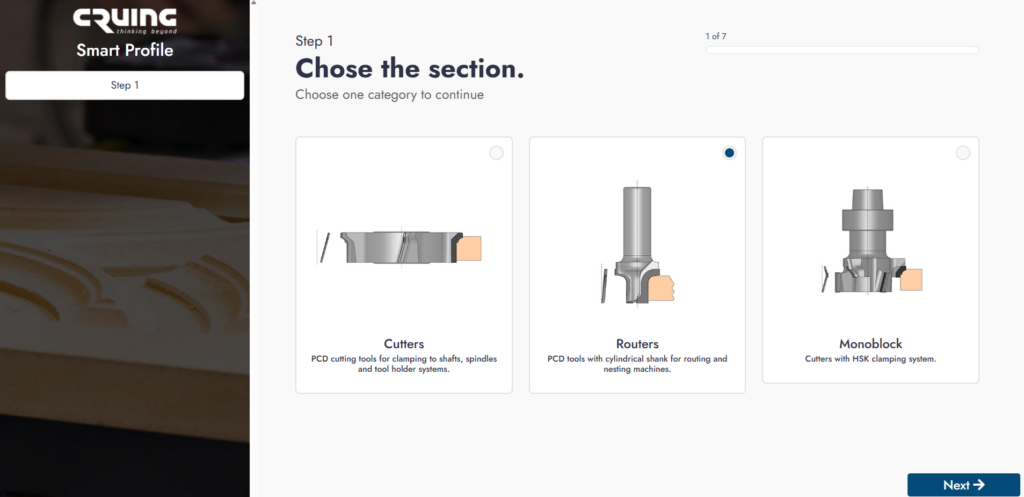
Step 1: Select the Section Start by choosing the category of your project. You can select:
Cutting (Cutter)
Milling (Routers)
Monoblock
How to do it: Click on the category that best fits your project to continue.
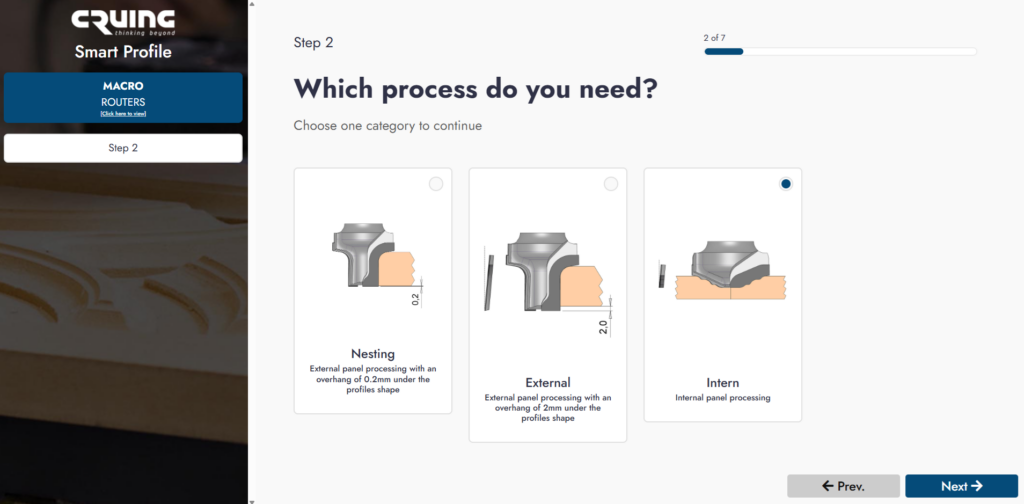
Step 2: Select the Process Indicate which processing method you need. The options are:
Nestings (cutting optimization)
External (external cut)
Internal (internal cuts)
How to do it: Select the desired process to proceed to the next step.
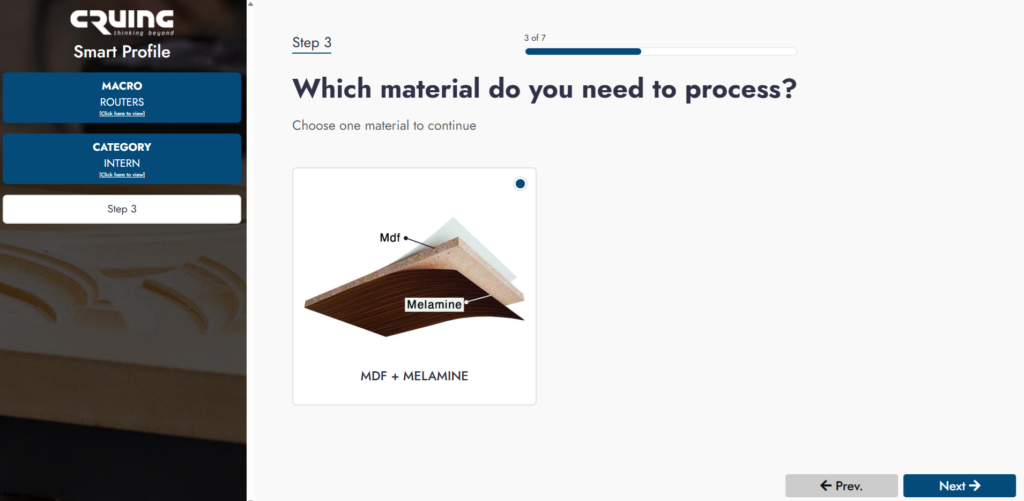
Step 3: Choose the Material Select the material you want to work with. Options include:
MDF + Melamine
How to do it: Choose the appropriate material for your project.
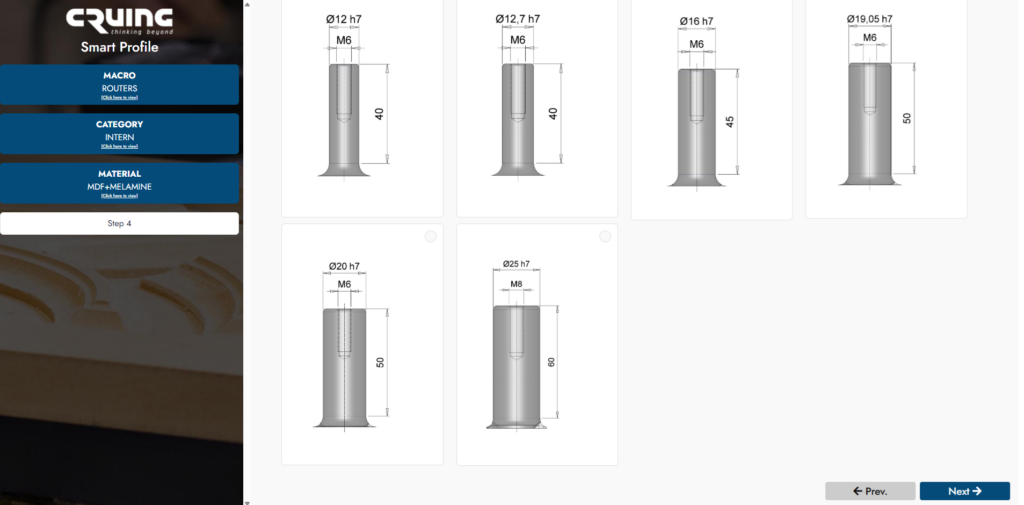
Step 4: Choose the Shank
Select the type of shank (candle holder) you prefer for your work.
How to do it: Pick from the available options to continue.
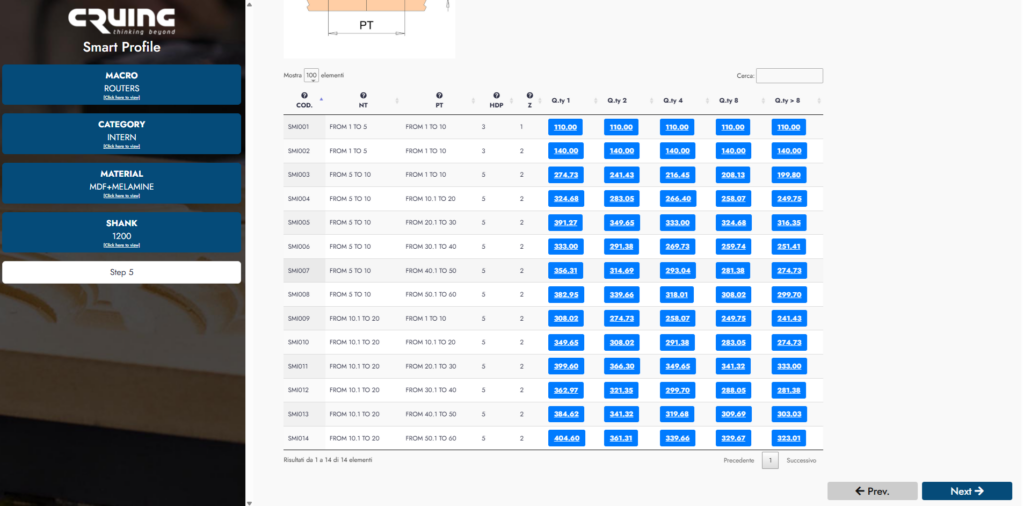
Step 5: Select the Price Level Pick the price level or package that suits your project needs.
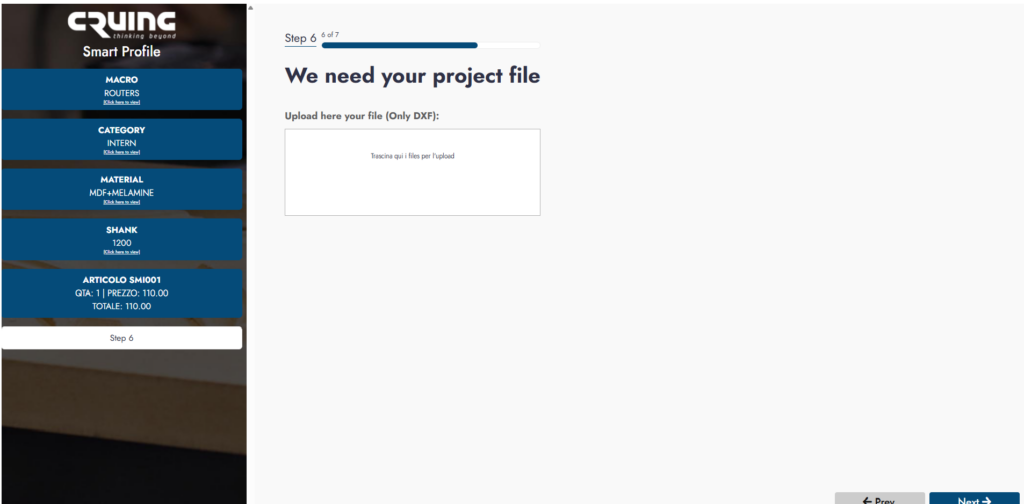
Step 6: Upload Your Project File
Upload the DXF file: Click on the button “Upload here your file (Only DXF)” and select the file from your device.